
Check the line pressure curve (gray) in the tuning software to ensure line pressure is set correctly. There should be minimal pressure at idle and high pressure at full throttle.
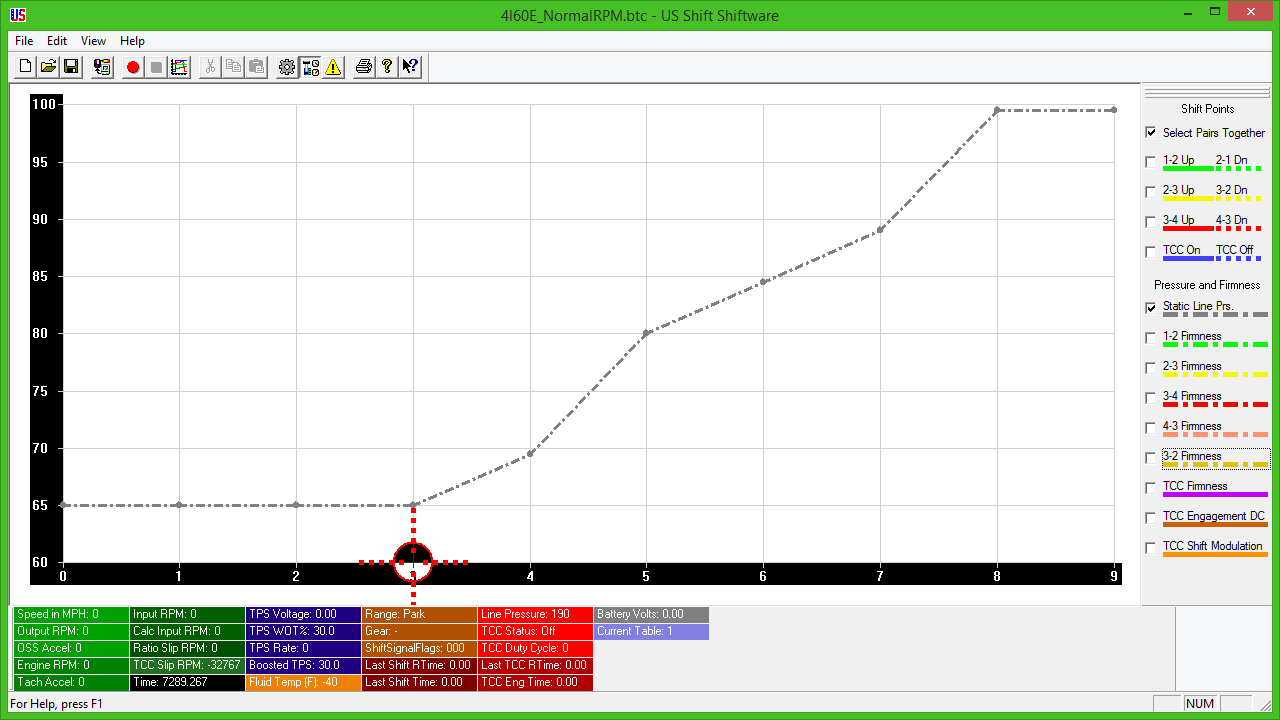
(The screenshot above shows a normal curve with all other lines hidden. The above example is for the Quick 4.)
On the Quick 1, the line pressure curve is displayed in units of solenoid current with an idle of approximately 125 and WOT near zero.
On the Quick 4, the line pressure curve is displayed in PSI of line pressure. So a curve begins at approximately 60psi and grows to about 200psi as throttle is opened.
Since the line pressure curve goes in opposite directions, it is VERY IMPORTANT that you don't confuse them.
The pressure setting at the beginning of the curve (Cell 0) sets the line pressure at idle, meaning it will determine the harshness when shifting into D or R.
If the pressure setting is too high, harsh engagement will occur.
If the throttle position sensor is mis-calibrated, this could also cause harsh engagements even though the line pressure curve is set correctly.
You can tell if there's a problem with the throttle position sensor if the cross-hair on the graph is to the right of Cell 0.